Modern Auto-Reconnect in Azure Virtual Desktop: What’s Changing and Why It Matters
Microsoft is reworking how Azure Virtual Desktop handles network interruptions. The new approach, currently rolling out as Modern Auto-Reconnect, moves away from the retry-based model AVD has used for years and replaces it with a connection preservation model built on RDP Multipath. Here’s what’s changing, why it matters for end users, and what admins need to know before enabling it.
The problem with today’s Auto-Reconnect

The current Auto-Reconnect behavior is retry-driven. When the client detects a transport failure — a TCP disconnect, a keep-alive timeout, or loss of network interface — it waits for connectivity to return, then enters a reconnect loop.
The catch is that every retry is a full end-to-end operation: broker orchestration for a new connection token, gateway selection, TLS negotiation, transport re-establishment, and remote logon. None of that is cheap, so each attempt carries real latency. The retries follow exponential backoff with jitter (starting around one second, doubling up to a cap), and the whole process runs for about 30 seconds before the user is prompted to retry or cancel.
From the user’s seat, this looks like a frozen screen. A modal “Reconnecting” dialog blocks input until the session recovers or the window expires — anywhere from a few seconds to noticeably longer depending on network conditions.
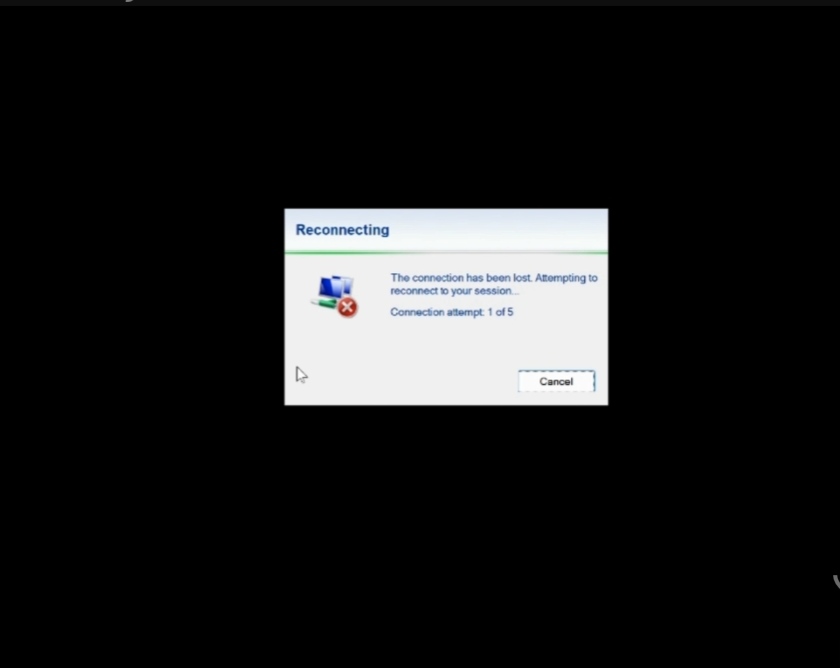
Current Auto-Reconnect: the blocking “Reconnecting” dialog
What Modern Auto-Reconnect does differently?
Instead of tearing down and rebuilding the connection on every drop, Modern Auto-Reconnect puts the client into a connection paused state. The session stays alive on the host while the client waits for any viable network path to come back.
This is possible because of RDP Multipath, which maintains multiple transport paths simultaneously so the connection can recover without rebuilding the entire session state from scratch. The moment a network path becomes available, the client resumes the existing session — recovery is often near-immediate rather than another full reconnect cycle.
If connectivity doesn’t return within the allowed waiting window, the user is prompted to keep waiting or close the session — a softer fallback than today’s forced retry/cancel prompt.
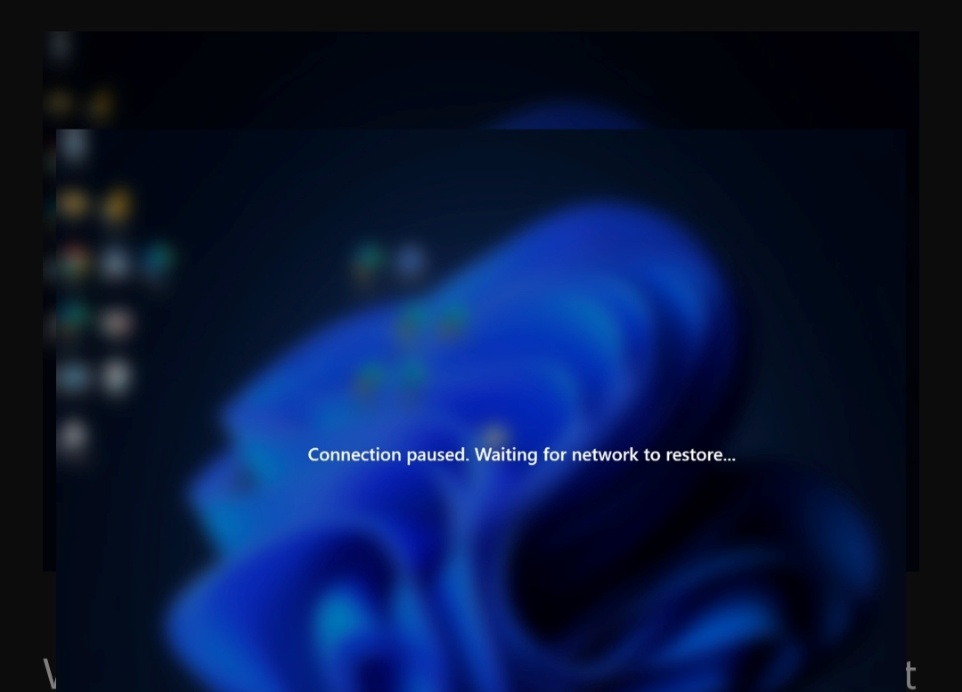
Modern Auto-Reconnect: the lightweight “Connection paused” notification
What this means for the end user?
- Faster recovery once connectivity returns
- Fewer visible interruptions during brief network transitions
- Session state and open applications preserved through the drop
- No repeated reconnect attempts hammering the connection
- A smoother experience switching between networks (e.g., Wi-Fi handoffs) or recovering from short drops
Instead of the blocking “Reconnecting” dialog, users see a lightweight Connection paused notification. For short interruptions — moving between wireless networks, a momentary drop — many users may barely notice anything happened.
Availability and requirements
A few things to check before you go looking for this in your environment:
- Requires Windows App for Windows version 2.0.1069.0 or later
- Currently available only through the Azure Virtual Desktop validation ring — host pools need to be moved into that ring to get the experience
- A phased General Availability rollout is expected soon, expanding it to AVD deployments more broadly
Takeaway for AVD admins
This is a meaningful shift in how session resilience works, not just a cosmetic UX tweak. If you’re managing host pools for users on unreliable networks — field staff, hybrid workers switching between office and home Wi-Fi, remote regions with flaky connectivity — this is worth testing early via the validation ring rather than waiting for GA. Given RDP Multipath is the underlying mechanism, it’s also worth checking your network policies and firewall rules don’t restrict the multiple transport paths this feature depends on.
Source: Microsoft Learn – Session Auto-Reconnect in Azure Virtual Desktop

Windows Cloud Keyboard Input Protection (Preview): A Major Leap in Endpoint Security for AVD and Cloud PCs – Part 2

Ephemeral OS Disk Support in Azure Virtual Desktop: A Game Changer for Stateless Workloads

Azure Virtual Desktop Support for External Identities Without FSLogix (Preview) – Part I
About Author
