Recently I got a chance to work on the Azure Backup of the SQL Server VM’s. In this post, I am going to share my experience with the Azure Backup of SQL Server VM’s. In Part II of this post, I will share my experience with Recovery of the Backup databases. Please note that this
As many of you know that Azure ExpressRoute let us to extend our on-premises infrastructure to Azure Cloud over a private dedicated connection. With ExpressRoute, you can establish connections to Microsoft Azure Network. If you are from the Azure pre sales background or an Azure Architect like myself, you must be aware that in most
It’s not very easy to delete Azure Recovery Services Vault because it’s generally contain multiple objects in it. If you don’t delete the recovery services vault which is not in use in a timely manner it may incur additional Azure Bills which you may not anticipated. Today I will show how you can easily delete
Sometimes if you are not using a Azure VM there is a quite possibility that you will forget the password of the VM, there is a way to reset the password for the Azure ARM based VM’s. You can reset the password from the Azure Portal as you can see below. Go to the reset
Today I have noticed that a new button for the directory and subscription filter added in the Azure Portal. It was the need of the hour otherwise browsing through multiple subscription was becoming pain for the MS Admins. Kudos to the design team for considering the feedback from the community. Here is the screen shot.
Dear friends in my last two posts (Part I and Part II ), I have shown you how to install Azure Analysis Services and today I will show you the step by step installation of the On-Premises Gateway for the Azure Analysis Services. To start with first you need to download the setup of the
In my last post I have shown you how to create and configure the Analysis services in Azure. Today I will show you how to connect to the Analysis Services from Visual Studio SSDT (SQL Server Data Tools). In my lab environment the initial Architecture was as follows. Fig: Azure Analysis Service Initial Architecture. The
This post I have targeted to the BI developers and system admins who are interested to configure and work with the SQL Server Analysis Services in Azure (Called Analysis Services in Azure) What is SQL Server Analysis Services? SQL Analysis Service is the PaaS instance of SQL Server Analysis Services. It’s an analytical data engine
Dear friends, ensuring your application workloads and data are secure is essential, but it is not enough. Monitoring play an important role for any infrastructure. For IaaS workloads, Azure Monitoring play a very important role and this require ‘s almost similar effort what you need to monitor your on premises infrastructure. We need continuous monitoring
I think if you are an old school infrastructure management service techie, you must have been part of many DR excersice during your various job roles. If you are a pre sales techie, in many of the pre sales discussion you may have tried to convince your customers that Microsoft Azure enviroment is highly reliable
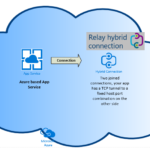
When you deploy App Services in Azure sometimes it’s necessary to connect to on premises data sources which may a database server or monitoring server (SCOM) or some other application data. Since your App Service is using a predefined netwok it’s important to use Hybrid connections since Hybrid connections allowed the connectivity with the resources
Sometimes you need more public IP for your subscription and the ARM resources limit is set at ‘Per region per subscription’ basis. Therefore, 20 is the default limit per region in the subscription. You would have 20 as default limit for all the regions respectively. Like any other quota increase request you need to open
Unable to RDP to Azure VM is a very common issue faced by many people worldwide. If you have installed the terminal services or RDS the RDP issue is more common. As per Microsoft there are multiple troubleshooting steps mentioned in the troubleshooting session. And here is the list. Reset Remote Desktop configuration. Check Network
I know many of you are using the Azure MARS backup agent for taking the backup of the files and folders. Today I would like to share with you some issues which we have faced recently with Azure MARS backup agent. This blog post will also have the resolutions of those issues as well. Issue
Recently we have faced issues related to the backup of the Azure VM, the VM is a newly build Azure IaaS server. While taking the snapshot backup of the Azure VM we have found that that we are unable to take the backup and this VM and this is the error message that is generated
I think you all know that in every organization one of the main objective towards the journey to public cloud is to cut down the capex cost. And we all need to come across this cost cutting exercise in time to time. Today I am going to write about a recent project where I have
In my last post I have explained the cost advantage of using the Azure File Share for the Oracle database backup, I got a question where someone has asked how to create and configure the file share in the Oracle VM and how we can make sure that when we map the drive the drive
It gives me immense pleasure to share that Microsoft have recognised and rewarded me again for Azure and I have won the Azure Master of the Month Award for Feb. 2018. My brief profile has been published in the Azure Master Site. https://www.azuremaster.in/azure-master-of-month
Picture Credit: Royalty free photos from pexels.com I am sure many of you are already planning or have already moved oracle databases to Azure VM. In any IT infrastructure landscape Oracle workload migration to public cloud is one of the most difficult task and needed to be planned well in advance. If your organisation is
Recently we have seen blue screen error in one of the Azure Windows VM and after lot’s of troubleshooting steps when we not able to rectify the issue and (before opening a case with Microsoft) we have thought to check with the backup team so that we can restore the VM from the Azure backup
Last two weeks in most of the organizations the windows team must be busy in applying patches to hundreds of Servers after the information of the serious design flaw with Intel, ARM and AMD based chips that allowed programs to read the contents and layout of a computers protected kernel. Patches has been applied to
At least after four years of announcement of the Azure Resource Manager portal (Well known as Azure Preview Portal), Microsoft today has removed the Azure Classic Portal website. Although it’s not a surprise for most of you since there is a notice in the classic portal, for the last one month. And I am sure
Announced in the Pearson VUE site if you are taking any Microsoft Exams in between December 20th to January 31st 2018, you are eligible to get a free T-Shirt irrespective of whether you pass or fail the exam. Not only that if you complete your exam by Dec. 31st you will receive a bonus gift
My dear all Azure Pre Sales Friends, we are in end of 2017 and in this year we have seen Microsoft Azure market expanded very fast. And now it’s started boiling with fierce competition from all corners. Most of the large deals which has surfaced around the globe are either for AWS or Azure, mostly
During 2015-16, I have attended many sessions with the Simplivity technical team. And in many of their sessions they have informed that Simplivity can run below the Microsoft Azure Stack which was in beta that time but now after the ignite 2017, Azure stack is available as full product and ready to deploy but we
Microsoft is planning to upgrade App Service and Functions infrastructure to Windows Server 2016. This updates paves the way to allow the HTTP/2 protocol for App Service and Functions. For HTTP/2 support they will send communications when it will be available worldwide. The update will began on Monday, December 4, 2017, and continue through January
This article is targeted to the beginners who have started learning Azure not very long ago. In this post I am going to discuss about the two most popular Azure storage tools that is available right now for Azure storage related day to day tasks. I hope you must have already guessed about the names