Customers who are still using Windows 7 session hosts in their AVD infrastructure should plan to move their users to any other supported OS like Windows 10 or Windows 11. As Microsoft has recently announced that the support for Windows 7 has come to an end. As per Microsoft’s update on January 10, 2023, Azure
Even a small leak could sink a great ship; every detail needs to be considered to foresee possible breaches. Looking forward to the security requirement in the VDI world, Microsoft has brought in the watermarking in AVD which Citrix implemented a few years back, however, it has some additional features. Let’s see more details about
If you are managing a large-scale VDI infrastructure, it is advisable to employ comprehensive DevOps-based automation using the latest CI/CD toolset. This article aims to provide valuable insights for IT enterprises planning to introduce CI/CD tools into their daily VDI operations. Lately, I have received numerous inquiries regarding the best CI/CD platform for deploying VDI
Hello everyone, Today we will discuss what to do if your users are not able to connect to their cloud PC. When users click on the cloud PC icon, they may encounter the following issue. It generally try to initiate the remote connection but could not connect. Once it fails to connect, you will see
Internet browsers are one of the most used and active programs on a virtual desktop. In traditional DaaS solutions, the virtual desktop instance is responsible for fetching and rendering browser content, consuming more RAM and CPU resources, which can lead to a poor browsing experience, reduced scalability, and an increased overall cost. Citrix browser content
If you are a Citrix customer, a pre-sales professional, an influencer, or a decision maker of the Citrix VDI roadmap, this article may help you to take an informed decision about the Citrix Features. As you may be aware almost 99% of the enterprise have already migrated some of their workloads to Cloud and there
This article is a continuation of three-part blog series on the installation of Citrix PVS on Azure. Before you read the article you should read the first two parts of the article. 1st part of this blog series can be found here. 2nd part of this blog series can be found here. STEP 4 –
Part-I of this article was published when Citrix PVS was in Preview, this part is published when Citrix PVS is GA. Now many enterprises must have already started planning to start the Citrix PVS in Azure and this article will help them. In today’s article, I will show how to install Citrix PVS in Azure.
Nowadays, large enterprises need to manage thousands of VDI for their customers in the public cloud, In the cloud everything is software-defined, so it’s absolutely necessary to run the entire VDI infrastructure as software. Also, DaaS (Desktop As a Service) is no longer a buzzword it’s became a reality, Citrix has recently renamed their CVAD
In the real VDI world sometimes higher graphics performance makes a lot of sense for thousands of users who need them as the use of graphics is increasing in many industries every day. These design decision for the need for a GPU is subject to the user-base requirements (graphics Applications) due to cost. In the
Hello All, welcome back, this post is a continuation of my last post where I have mentioned the first 8 steps which you should configure to test the SSO for AVD with ADFS. Purchase a domain from Azure Add the domain to Microsoft 365 Portal Buy a certificate from Azure Service Certificates for the ADFS
One of my blogpost on SSO for O365 with ADFS which I have published in Sept. 6th 2017, is one of the most read post on ADFS and has received the views of 47216 till date, one of my close friend who is following my blog from 2017, and who is also the owner of
Hi friends, I hope you are all doing well, IDAM or Identity and Access Management sometimes become very critical and it can make or break an entire VDI design. In today’s post I am going to show you one complex IDAM integration for the Citrix Cloud Workspace. This integration involves working on with the three
Hello all, hope you are doing well, recently I got a request from one of my regular blog readers to write a detailed step-by-step creation of AVD with Azure AD joined session hosts. Also, he would like to see how we can configure FSLogix with cached mode enabled, which can help any organization that is
Enterprises which were using the Citrix ADC (Application Delivery Controller) many times need to depend on multiple 3rd party tools to get the insight of their ADC Gateway for troubleshooting user issues in the VDI environment, which is a great challenge for Citrix Admins since ADC is generally managed by the network team in any
In my last post here I have discussed about how to create the On-Premises Network Connection for the Windows 365 Enterprise based Cloud PC deployment, in today’s post I am going to write details about all the other remaining steps for the cloud PC deployment. Step 2: Create the Provisioning Policy for the cloud PC
There are lot of blogs published about windows 365 since its release in August 2nd, 2021, however in this series of blog I would like to focus on the enterprise deployment of the Windows 365 from scratch. Windows 365 is a cloud-based service that automatically creates a new type of Windows virtual machine (Cloud PCs)
Hello everyone, This is a blog post on Citrix PVS and it’s divided into three parts. 1st part of this blog series can be found here. 2nd part of this blog series can be found here. 3rd part of this blog series can be found here. Citrix PVS on Azure TP (Technical Preview) Program has been extended till 31st
MS has given the Diwali Gift to the Azure Virtual Desktop admins by the introduction of GUI based auto scale scheduler for AVD. There are definetely smiles on the faces of the thousands of AVD admins, who have struggled a lot to manage the present Auto Scale Script. There was a session on #MSignite 2021
I hope all you are doing well, if you are from the VDI world and deploying many images across regions in Azure, you might have already using the Azure Shared Image Galleries a lot. I think you might have also noticed that there is a change in the name of the Shared Image Gallery, although
The time is running out, if you have not registered yet, please do register ASAP. Citrix Converge is starting on 26th of Oct. 2021, it’s is the premiere global developer conference for Citrix partners and customers, accessible virtually and at no cost. Experts drawn from Citrix and its wider community of admins, architects and developers
I am glad to announce my blog whyazure.in is listed among Top 50 Microsoft Azure Blogs, Websites & Influencers in 2021. Currently it’s in no. 26th position in feed spot. https://blog.feedspot.com/microsoft_azure_blogs/ Feedspot has a team of over 25 experts whose goal is to discover and rank popular blogs, podcasts and youtube channels in several niche categories.
As you are aware that Microsoft has recently rebranded its Windows Virtual Desktop (WVD) service as “Azure Virtual Desktop.” At the same time, the company has announced the new price for its external user access. Let’s quickly understand how the new licensing will be. Azure Virtual Desktop pricing includes two parts. 1. User access rights:
It’s great pleasure to announce that today, I have passed the AZ-140 exam (Configuring and Operating Microsoft Azure Virtual Desktop) specialty certification, this is a brand new exam to judge your Azure Virtual Desktop skills and this exam has been released in India yesterday, it was in beta stage in many countries outside India, regardless
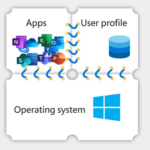
In any VDI technology, App delivery is an important part of the VDI Lifecycle process. Typically, in any enterprise when you will plan for the App Delivery, you can’t stick to a single method. It is unlikely that a single application delivery method will meet all the requirements of the various applications that must be
Today I have completed 1 Year in HCL, when last year same time, I was about to join HCL, it was an unusual situation, India was in complete lockdown stage due to Covid19, and my joining location was Noida and I was residing in Bangalore that time, I had to relocate to Noida after a
Hello All, as you know post-VDI deployment, during the resource optimization stage we need to make few critical changes in the Azure Environment based on the current resource utilization report. One of the important parameters of disk Utilization is the Disk IOPS. If the IOPS requirement is much less than the provisioned disk, it’s always